

I’ll walk you through how to choose and register a domain name for your business, and share some tips I’ve picked up over the years building websites for clients.
First, some basics…
What is a domain name?
Your domain name is your unique address on the internet. It’s how people find your website, like suzanneharrisonweb.com, and it’s also what you can use for a professional email address, like suzanne@suzanneharrisonweb.com.
To get your own domain name, you need to register it through a company called a domain registrar.
I ask my clients to register their own domain names because I think it’s important that they have complete control over them. I’ve seen too many situations where a previous web developer registered a client’s domain, and years later the client can’t get in touch with that developer or doesn’t have the access they need to make changes. It can be an ordeal!
But I am happy to help you get set up.
I usually recommend GoDaddy (I know, sigh). It’s relatively easy to use, I’m very familiar with it, and I can help clients navigate it quickly. Their customer support is a bummer (but what big company’s isn’t!?), and they’ll try to sell you all kinds of extras you don’t need, but for registering a domain name, it gets the job done.
How to choose and register your domain name
Find the Right Domain Name
I recommend starting with your business name, or something as close to it as possible. You want something that’s easy to remember, easy to spell, and easy to share.
Here are a few things I recommend:
- Keep it short. My own domain, suzanneharrisonweb.com, works just fine, but having to type out suzanne@suzanneharrisonweb.com all the time is a pain!
- Go with .com for a business or .org for a nonprofit if you can. They’re familiar, recognizable, and what people generally expect.
- Avoid hyphens and numbers. They make your domain harder to remember and harder to explain to someone.
- Don’t get too hung up on SEO. Having keywords in your domain isn’t going to magically improve your Google rankings. A domain that’s recognizable and easy to remember is more important.
- Be flexible. Your first choice might already be taken. Try a shorter version of your business name or another variation that still makes sense. For instance my client, The Center for Harm Response went with harmresponse.org. Another tip: Check whether the name is available on social media, too, so you can keep your branding consistent.
See if your domain name is available
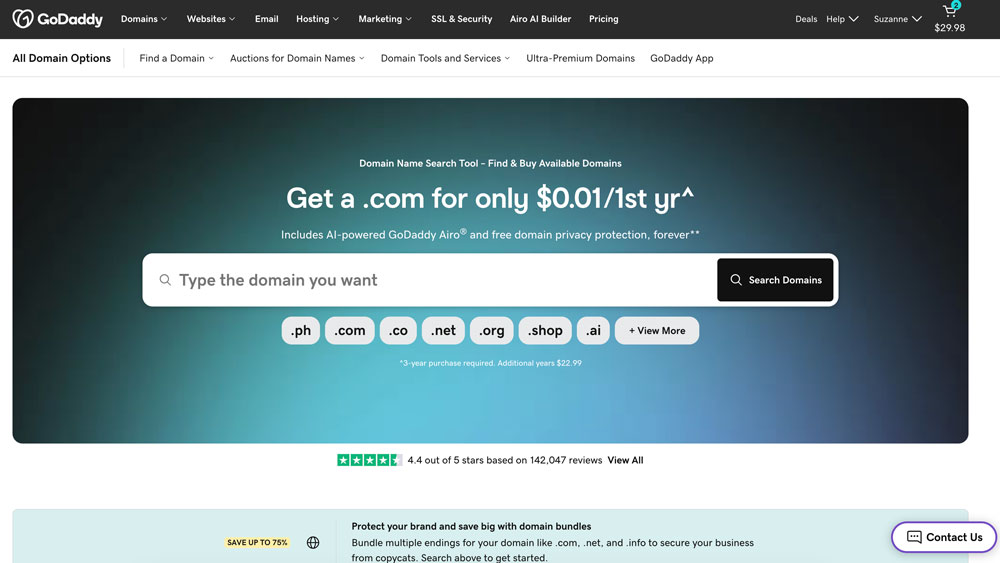
Head over to GoDaddy.com and enter your preferred domain name in the search box.
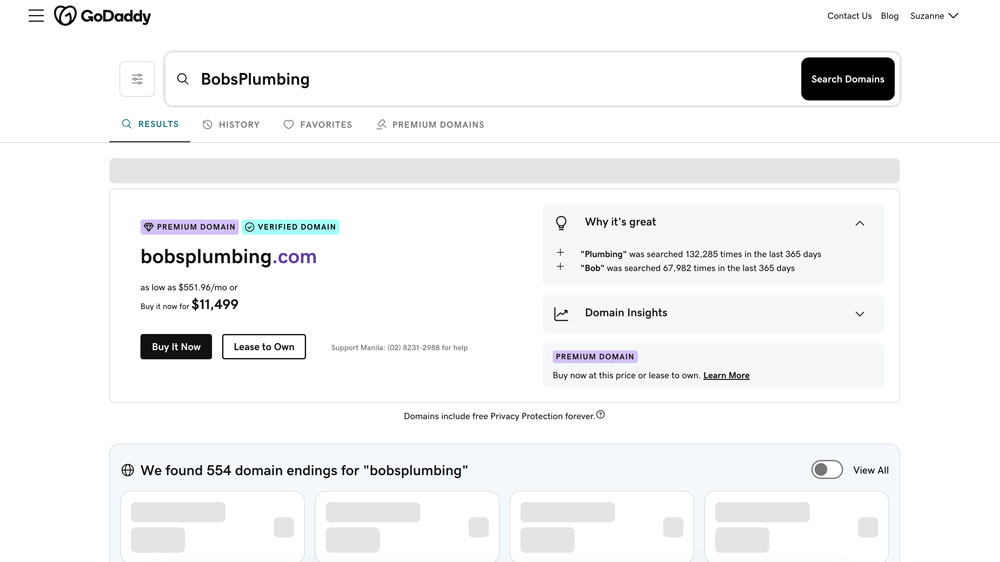
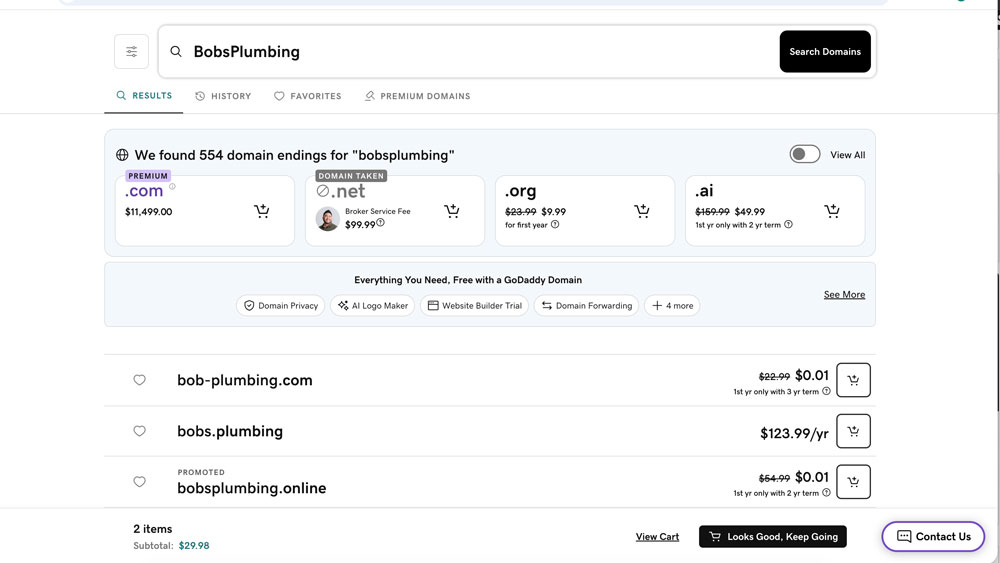
GoDaddy will tell you whether it’s available and how much it costs. If someone has already registered it, you’ll see suggestions for alternative names and extensions. Don’t feel pressured to choose one of their suggestions.
GoDaddy may also offer to help you purchase a domain that’s already owned by someone else, but that can be expensive and take time, with no guarantee of success. I’d recommend continuing your search until you find an available name you’re happy with.
Buy your domain name
Once you’ve found a domain you like, add it to your cart. GoDaddy will offer you extra domain protection and professional email. I recommend skipping both. Free privacy protection is already included, and you can set up email separately later.
Before purchasing, check the registration period and renewal price. GoDaddy often offers a discounted first year, so make sure you know what you’ll pay later. Consider registering for multiple years if the price makes sense.
Turn on auto-renewal so you don’t accidentally lose your domain, and complete your purchase. You’re all set!
You're good to go!
Make sure you save your login and password, and now you’ve got what you need to launch your website and set up your business email accounts.
Domain name FAQ
What's the difference between a domain name and website hosting?
Your domain name is your website’s address. Website hosting is where your website actually lives. They’re two separate things, and you don’t need to purchase them from the same company.
Registering a domain name doesn’t automatically give you a website or a professional email address. Those are separate services.
Do I need to purchase hosting or email from GoDaddy?
Nope! You can register your domain with GoDaddy and use completely different companies for website hosting and email. That’s how I usually set things up for my clients.
How much should a domain name cost?
A typical .com domain generally costs around $15–$25 per year, although prices vary. Watch out for introductory offers that jump in price when it’s time to renew.
You might also come across premium domains that cost hundreds or even thousands of dollars. Unless you have a very good reason to purchase one, I’d keep looking.
Do I own my domain name forever?
Not exactly. You’re registering the right to use it for a certain period, usually one or more years. As long as you keep renewing it, you can continue using it.
That’s why I recommend turning on auto-renewal, keeping your payment information up to date, and making sure your registrar has an email address you actually check.
Should I buy other versions of my domain name?
For most small businesses, one good domain name is all you need. But if you have a well-established brand, or there’s a variation people are especially likely to type by mistake, it might make sense to register an additional version and redirect it to your main website.
And don’t rule out other domain extensions. While I generally recommend .com for businesses and .org for nonprofits, something like .me, .design, or .online can work really well if it’s memorable and fits your business. Just be sure to check the renewal price, since some extensions cost considerably more than others.
I'm getting emails about renewals and expiring services. Should I be worried?
Maybe, but don’t panic! There are companies that send official-looking emails and letters in the mail warning that your domain is about to expire, hoping you’ll pay them for a renewal or some other service you don’t actually need. I had a client pay $200 after receiving one of these letters, thinking they were renewing their domain!
And GoDaddy doesn’t help matters. They sometimes add free services or trials to your account, then send alarming emails when those services are about to expire. It can sound like something important is about to stop working when it’s just an extra you never needed in the first place. So annoying!
My advice: Don’t pay anything based on an unexpected email or letter. Instead, log directly into your domain registrar’s website and check what’s actually expiring, or check with me first if you’re not sure.
One last thing…
Curious about how domain names came to be? You can read a little about the history of domain names on Wikipedia. It’s pretty interesting how something we use every day got its start!
And if you’re still feeling a little overwhelmed by all of this, don’t worry. I’m always happy to help you choose a domain name, figure out what you actually need, or sort through the technical stuff. Just get in touch!